Where to start
Choose Offroad on the spawn screen to reach the dirt terrain shown in the full map. For a timed run, look for the Rally or Offroad event entry and read its vehicle and completion conditions. Free-driving over the terrain gives you a way to learn the surface first.
The recorded CPM 2 Rally mode shows the separate mode in action. The Offroad event walkthrough gives another view of how players approach this type of event.
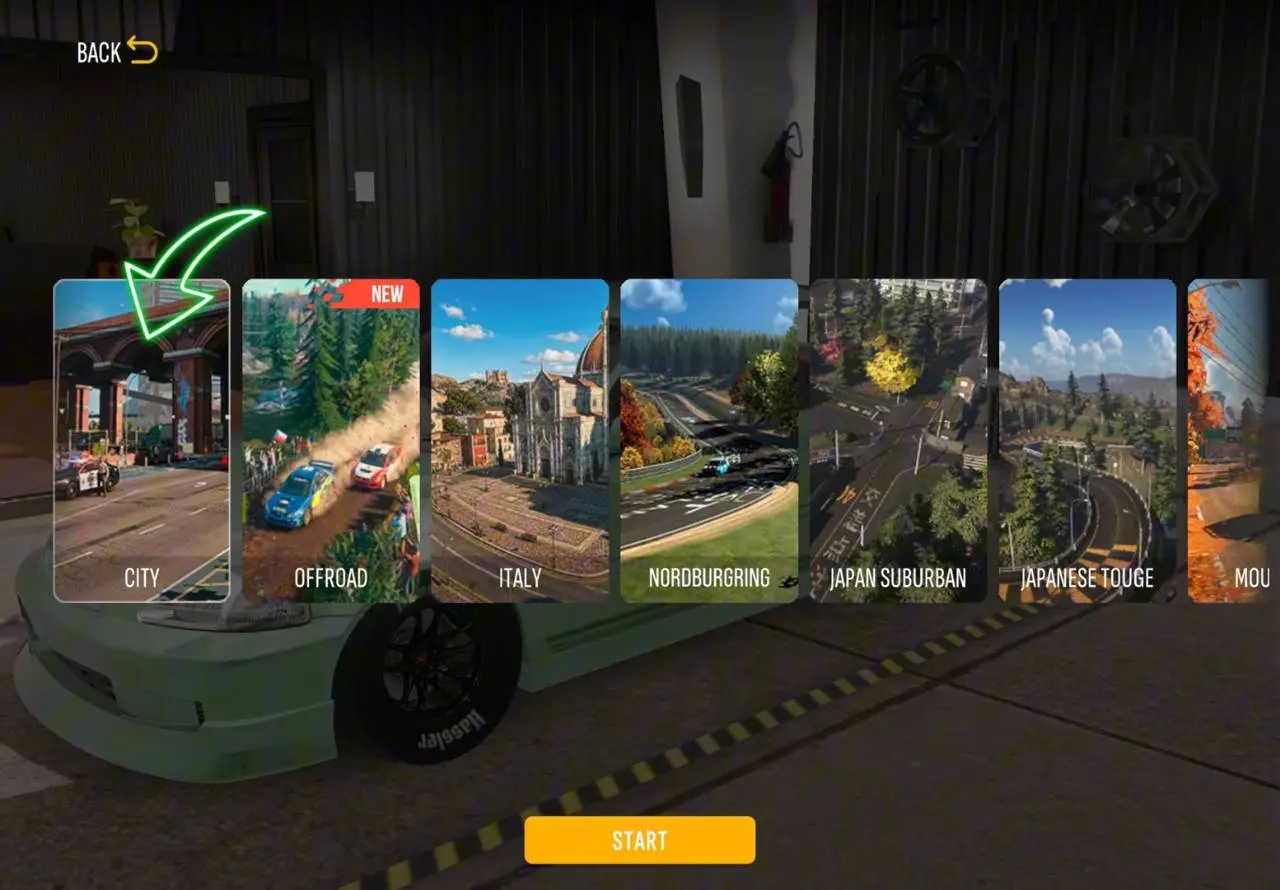
The Offroad spawn card opens the terrain. Check the separate event entry before attempting a timed run.
Run the event
- Check the class or eligible vehicle on the current event screen before choosing a car.
- Enter at the marked start and wait for the run to begin. Follow the course markers and use the on-screen objective to tell which part of the route counts.
- Brake before loose-surface turns and leave room to straighten the car before feeding in throttle. Learn any tricky section during a lower-speed practice run.
- Finish the course and check the event result. For a task, reopen its progress panel to confirm completion.
Offroad event screens
In this September 30 recording, the event menu shows Offroad in the Racing Tracks row. Each Trajectory card has a course outline and time or weather information. Choose the event card, review its rewards and current car class, then use Start.
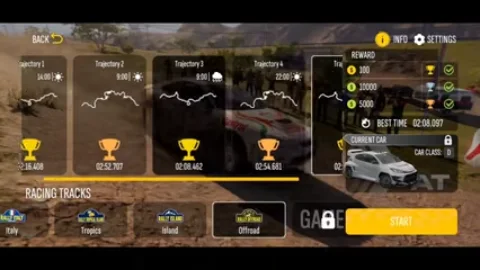
Event entry shown in Fardeen Sensei, Offroad Track 2 & 4, 0:13.
After the run, look for the Time row and the reward confirmation. In this example the menu shows 02:54.166 and the reward banner. Your result screen shows the targets and payout for the selected run.
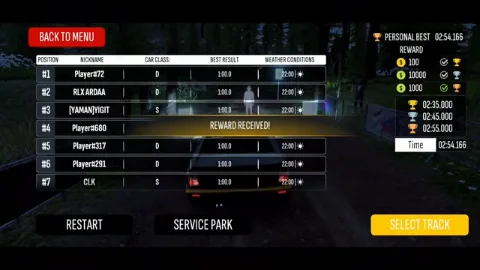
Recorded event result in Fardeen Sensei, Offroad Track 2 & 4, 7:23.
Choose a car and test it
Use a car the event allows and compare two runs on the same route before spending on a new build. Check whether you lose time to sliding, missed turns or acceleration. The car list gives you stock weight and power for comparison, and the tuning guide helps you test one change at a time.